Clearfog on eMMC
I did not want my ClearFog Pro running from an SD card. For a board that is on around the clock, cards wear out and fail, while the onboard eMMC is faster and far more durable. So I set out to move my Armbian installation onto the eMMC and boot the board from there. This is what worked for me.
Roughly, the process was: power up the ClearFog, interrupt U-Boot at boot (hit a key to stop autoboot — it comes faster than you think), then copy the system onto the eMMC and point the board at its hardware boot partition.
PC (kwboot terminal)
mmc partconf 0 1 1 0
date reset
run bootcmd_usb0
I logged in as root, then copied the system image onto the eMMC and installed the bootloader:
mount /dev/sda1 /mnt
dd if=$(ls /mnt/extlinux/Armbian_*.*.*_Clearfogpro_buster_current_*.*.*.img)  of=/dev/mmcblk0 bs=1M conv=fsync
hdparm -z /dev/mmcblk0
umount /mnt/
mount /dev/mmcblk0p1 /mnt/


[  432.634521] EXT4-fs (mmcblk0p1): couldn't mount as ext3 due to feature incompatibilities
[  432.643043] EXT4-fs (mmcblk0p1): couldn't mount as ext2 due to feature incompatibilities
[  432.658936] EXT4-fs (mmcblk0p1): mounted filesystem with writeback data mode. Opts: (null)


echo 0 > /sys/block/mmcblk0boot0/force_ro
dd if=$(ls /mnt/usr/lib/linux-u-boot-current-clearfogpro_*_armhf/u-boot.emmc)  of=/dev/mmcblk0boot0
sed -i 's/emmc_fix=off/emmc_fix=on/g' /mnt/boot/armbianEnv.txt
umount /mnt/
poweroff
PC (a second terminal)
killall kwboot
screen /dev/ttyUSB0 115200
Clearfog
- Unplug the power adapter.
- Set the jumpers to 0 0 1 1 1.
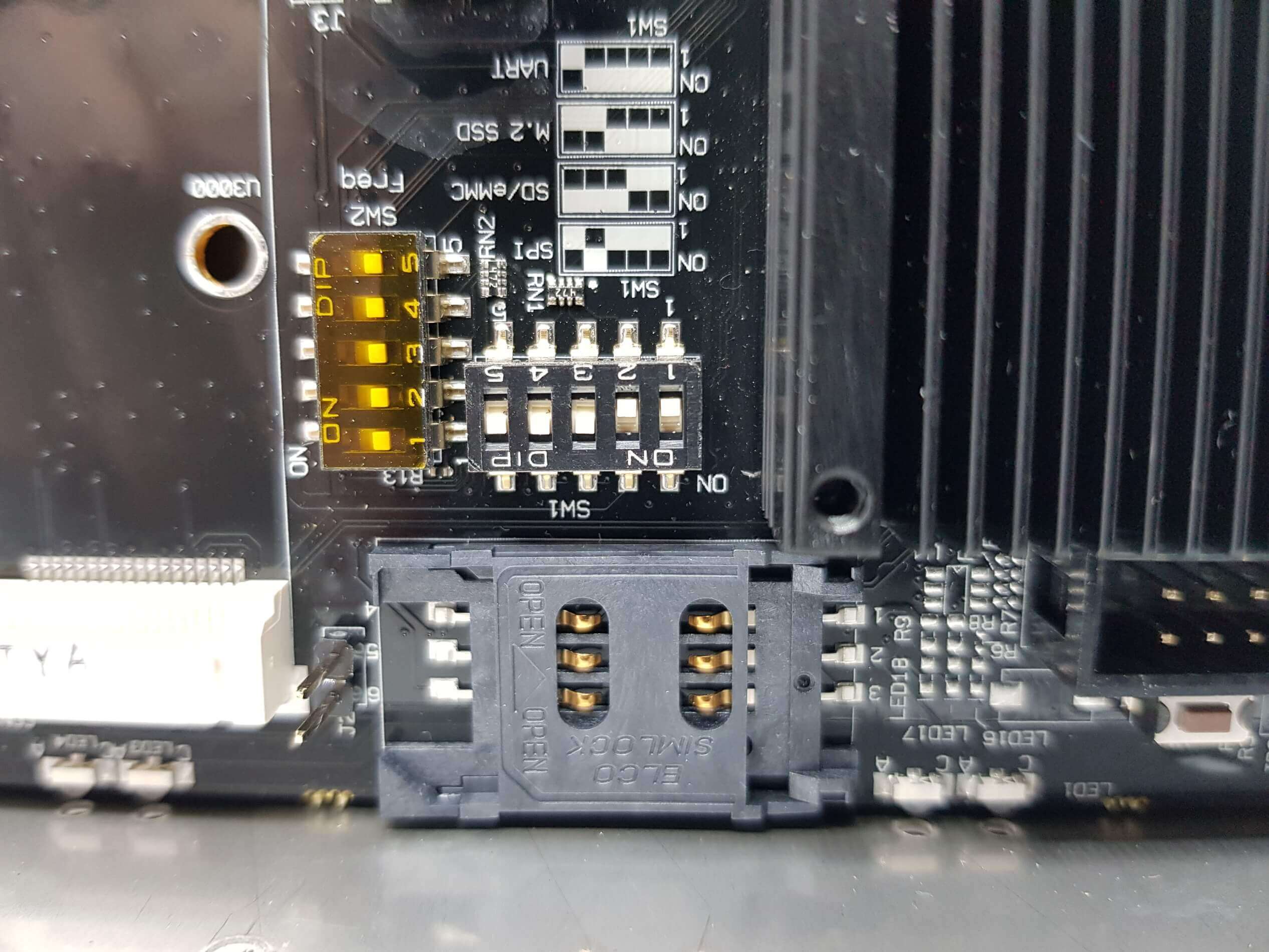
- Plug the power jack back in.
After that, Armbian booted straight from the eMMC — I could watch it come up in the terminal where I had run screen.