bpi-m64 management with UART and USB
When I set up a bpi-m64, I wanted a way in that did not depend on the network. If the board failed to boot, or never showed up on the LAN, SSH was no help — I needed to see what was happening before the OS was even up. A serial console over UART solves that: you get the whole boot log and a login prompt straight over the cable. So I wired up a USB-to-TTL adapter and tested it.
Here is what I used:
- bpi-m64 v1.1 and 1.2
- Betemcu BTE13-007 USB2TTL adapter
- Armbian as the operating system
Warning
A wrong connection to the pins can destroy the board, so double-check the wiring before you power on.
Wiring the pins
The TX and RX pins are crossed: the TX pin on the USB adapter goes to RX on the Banana Pi, and the adapter's RX goes to the board's TX. Ground connects straight through.
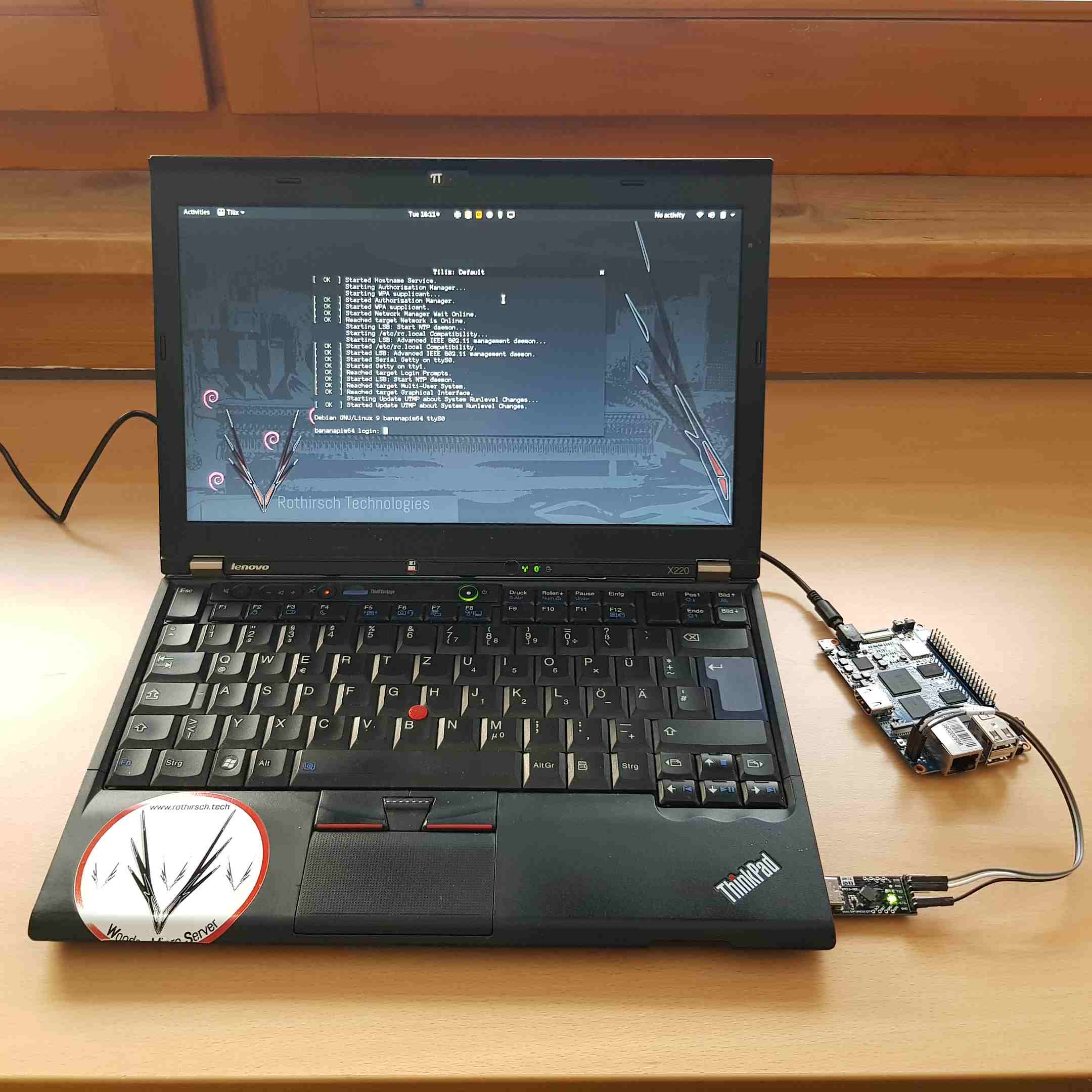
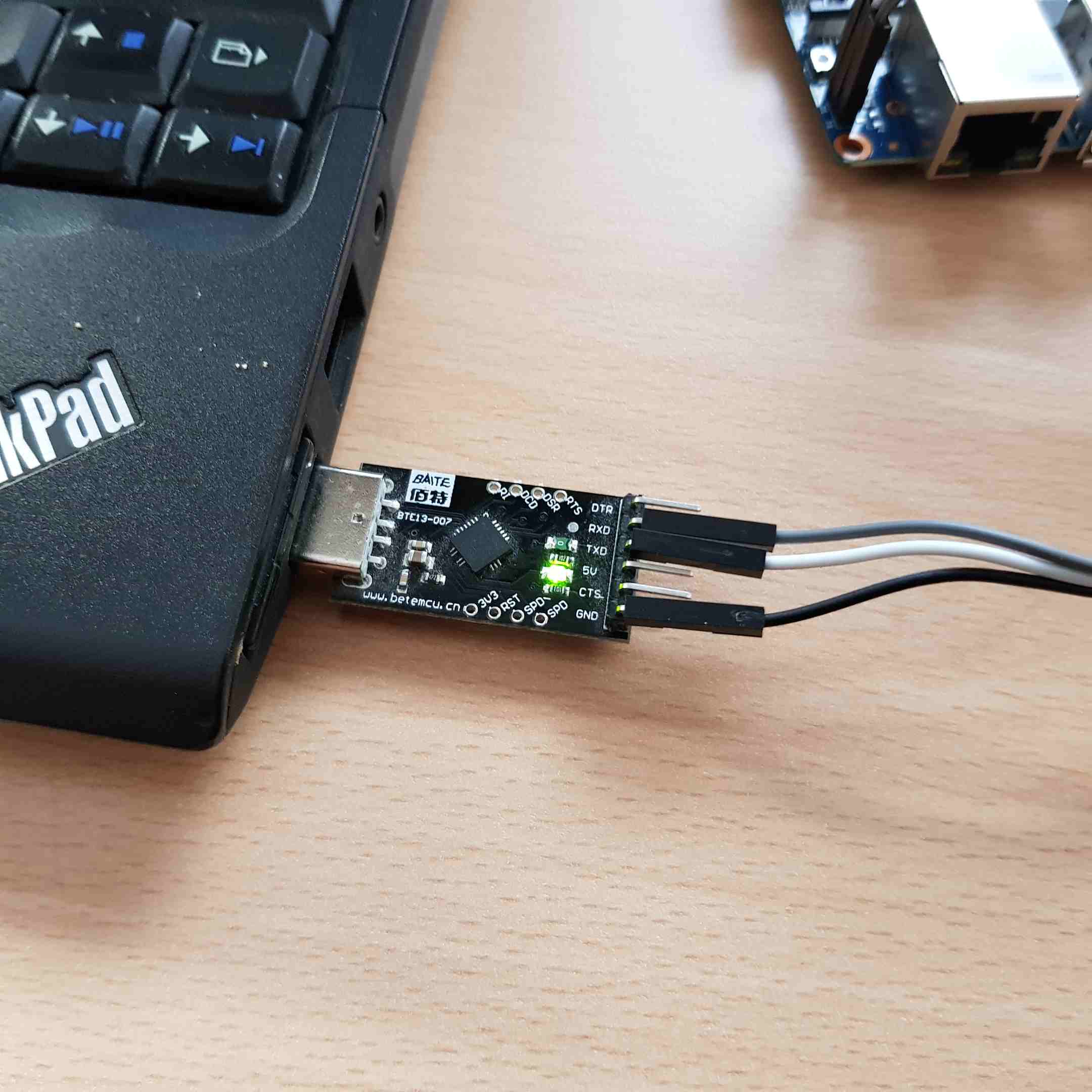
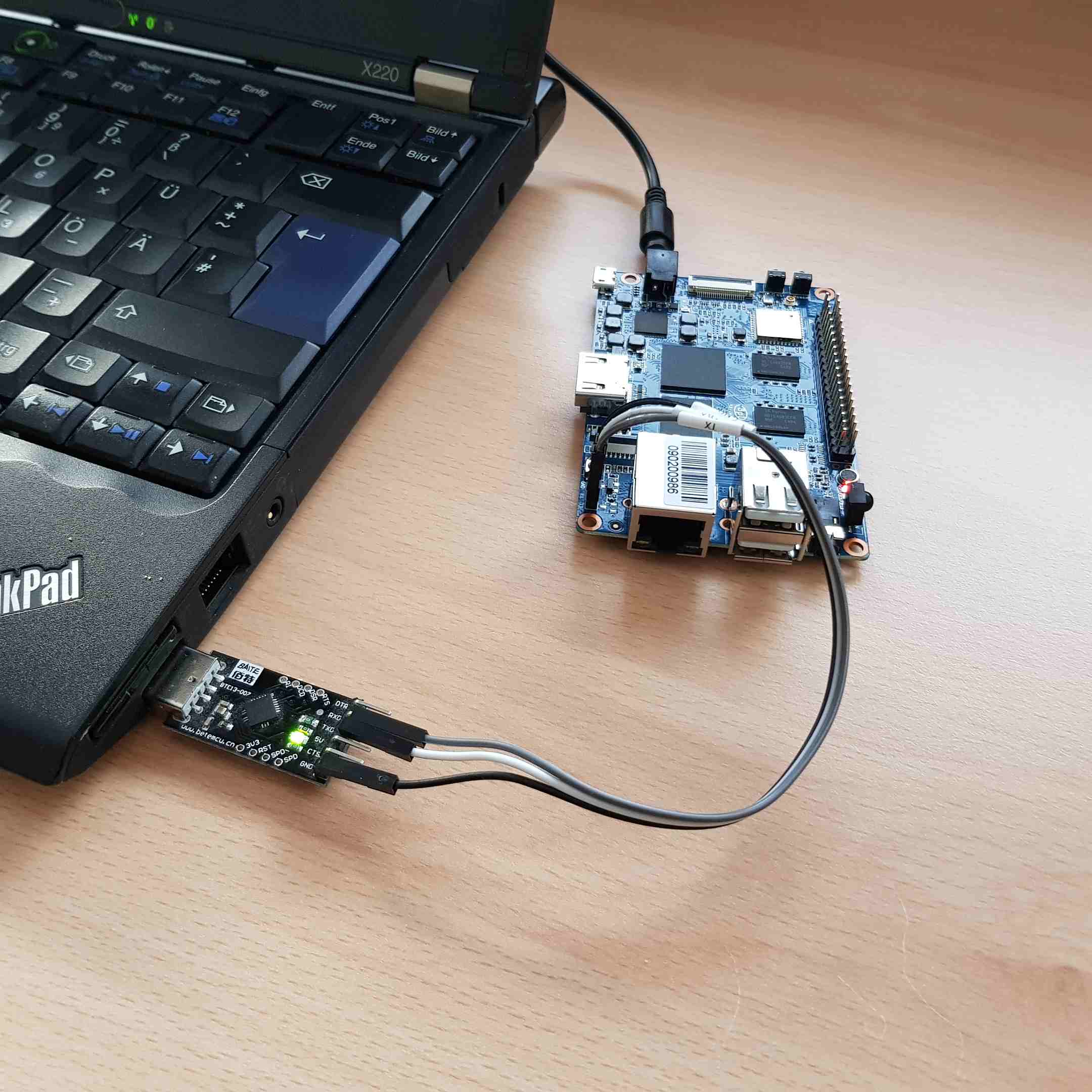
How I connected it
I wired the three pins (TX, RX, GND) to the adapter, plugged the adapter into my notebook, and opened a serial terminal:
screen /dev/ttyUSB0 115200
Then I powered on the board — and I could watch the whole boot and log in over the serial connection, no network needed.